
Official Website
Metricool is a social media analytics and reporting platform that helps track performance across channels, schedule content, and generate client reports.
🔗 Visit Official Website — Metricool
Domain: metricool.com

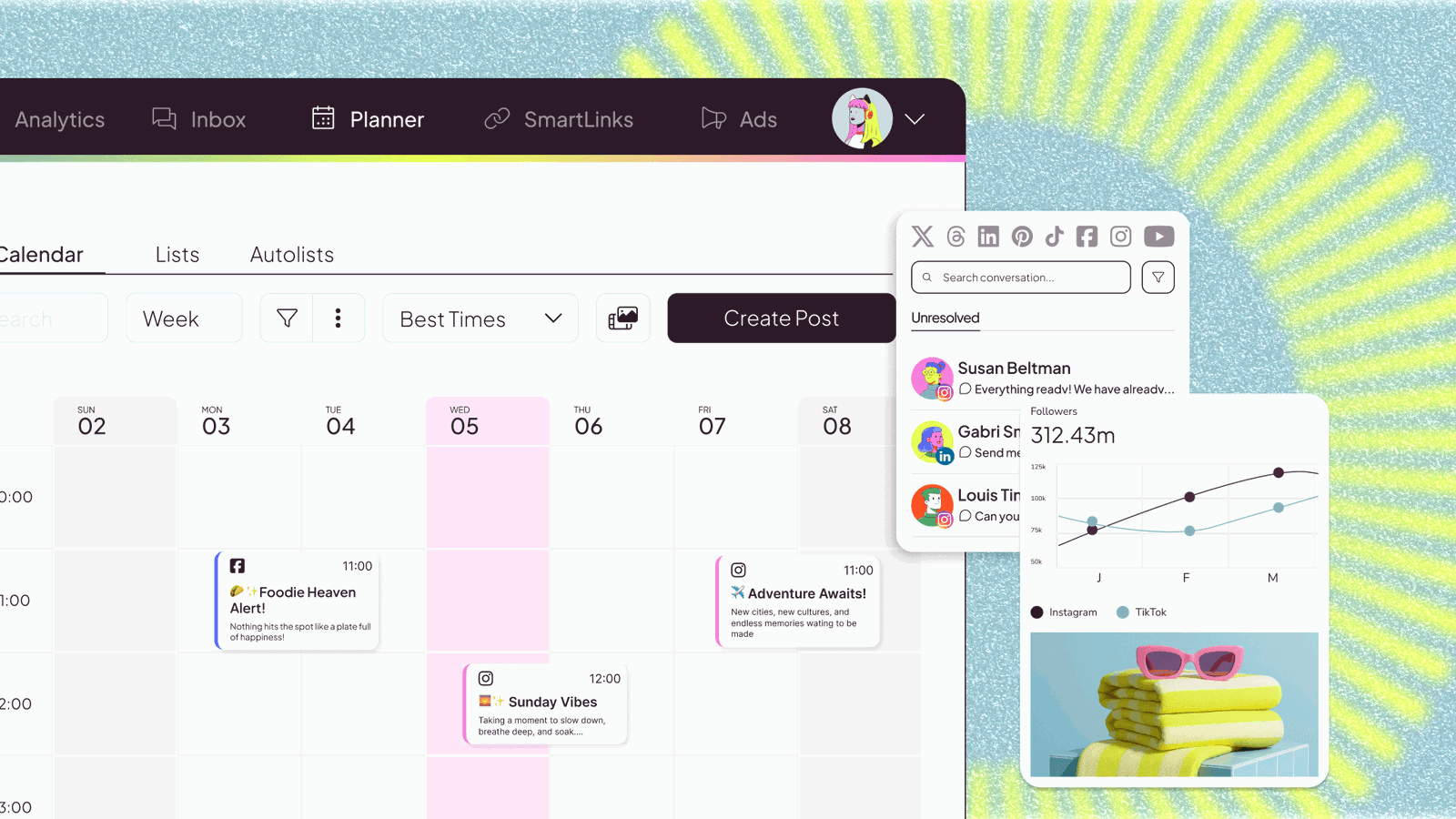
What This Website Is
Metricool is a social media analytics and reporting platform that helps track performance across channels, schedule content, and generate client reports. For 📣 Social Media Management, it helps you prove results, identify what content drives engagement, and make data-backed decisions about what to publish and how to optimize for each client.
How to Apply It to 📣 Social Media Management
Use Metricool as your “client reporting + optimization system.”
Step-by-Step Implementation:
- Track baseline performance (followers, reach, engagement rate, clicks).
- Identify which content formats and topics perform best per platform.
- Turn insights into a weekly publishing plan (what to repeat, what to drop).
- Package results into client-friendly reports to retain and upsell.
Common use cases:
- Monthly client performance reports.
- Content experimentation tracking (reels vs carousels vs static).
- Identifying the best posting times and consistency targets.
When to Use This
- Weekly: review performance and adjust content plan.
- Monthly: produce client reports and strategy updates.
- After campaigns: evaluate what drove clicks/leads.
- Before pitching: show expected reporting deliverables.
Best Research Tasks to Use It For
- Engagement and reach analysis by content type
- Best posting time and cadence research
- Campaign performance reporting (clicks/leads proxies)
- Content gap identification (what your audience ignores)
- Client ROI storytelling with charts and exports
Key Signals to Look For
- Audience engagement: engagement rate trends, saves/shares, comment quality.
- Performance patterns: which formats consistently outperform others.
- Traffic sources: profile link clicks, website clicks, campaign UTM performance (when available).
- Content gaps: topics that get reach but little engagement (misaligned messaging).
- Conversion indicators: lead clicks, DM volume, bio-link actions (platform dependent).
- Trend direction: growth of reach and engaged followers over 30–90 days.
Getting Started Steps
- Connect client social accounts.
- Capture a baseline week (current reach + engagement).
- Tag or categorize posts by format and topic.
- Set a monthly KPI target (reach, engagement rate, clicks).
- Run a 4-week content plan and report results.
- Use insights to pitch the next month’s strategy (retain/upsell).
Good Beginner Search Terms
- Metricool client reporting tutorial
- social media KPI reporting template
- best time to post analysis Metricool
- content performance analysis by format
- social media management monthly report
Monetization Angle
Metricool helps you monetize social media management by proving results and improving outcomes. Better reporting supports client retention, and better optimization supports performance that justifies higher retainers.
Pros
- Client-friendly reporting.
- Useful cross-platform analytics in one place.
- Supports ongoing optimization workflows.
Cons
- Some metrics vary by platform availability.
- Reporting can distract from actual creative execution.
- Needs consistent tagging/organization for best insights.
Who Should Use This
Social media managers who need repeatable analytics and reporting to optimize performance and communicate value clearly to clients.
Who Should Skip This
Skip this if you don’t manage multiple client accounts or if you only need native platform analytics. If you need professional reports, this is worth it.
Practical Applications
- Connect only authorized client accounts and review available reporting fields.
- Prepare a report that links metrics to the client’s actual goals.
- Use observed content performance to propose a specific test for the next period.
Important Considerations
- Platform API access, metrics, scheduling support, and plan limits can vary and change.
- Engagement does not establish sales impact; explain attribution limits and protect client account access and private data.
Related Resources
DashThis — more dashboard-style reporting for clients
Google Trends — plan content themes with seasonality/timing
Google Analytics — connect social to on-site outcomes
Related Side Hustles
 Faceless Video Content Creation: Go Viral Without Showing Your Face — adjacent channel strategy and reporting needs
 Affiliate Marketing: Get Paid to Promote What You Love — performance reporting helps optimize monetized content
 Consulting: Get Paid for What You Know — analytics/reporting can be packaged as advisory deliverables