Official Website
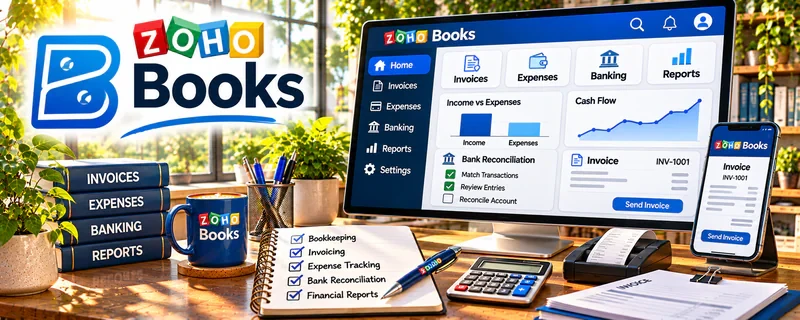
Zoho Books is accounting and bookkeeping software for invoicing, expense tracking, and reporting.
🔗 Visit Official Website — Zoho Books
Domain: www.zoho.com
What This Website Is
Zoho Books is accounting and bookkeeping software for invoicing, expense tracking, and reporting. For 📊 Online Bookkeeping, it can support client bookkeeping workflows and help you deliver cleaner monthly financials.
How to Apply It to 📊 Online Bookkeeping
Use Zoho Books as your “monthly close” system: import transactions → categorize → reconcile → report → deliver.
Step-by-Step Implementation:
- Set up a client’s chart of accounts and bank connections.
- Categorize transactions weekly.
- Reconcile monthly and generate reports.
Common Use Cases for this Side Hustle:
- Scenario A: You manage bookkeeping for small-business clients.
- Scenario B: You need consistent monthly reporting and reconciliation.
When to Use This
- You support bookkeeping clients
- You need invoicing + expense tracking + reports
- You want an alternative to QuickBooks
Best Tasks to Use It For
- Transaction categorization
- Reconciliation
- Invoicing and expense tracking
- Monthly financial reports
Getting Started Steps
- Create a test company.
- Connect a bank feed (or import a CSV).
- Categorize 50 transactions.
- Reconcile one month.
- Generate profit & loss and balance sheet reports.
Good Beginner Search Terms
- Zoho Books reconciliation tutorial
- online bookkeeping monthly close checklist
- Zoho Books vs QuickBooks
- bookkeeping client reporting workflow
Monetization Angle
A repeatable monthly close workflow helps you manage more clients and charge recurring retainers.
Pros
- Strong invoicing + bookkeeping features
- Good reporting options
Cons
- Setup takes time
- Learning curve for new users
Who Should Use This
Bookkeepers who want a full bookkeeping workflow tool for clients.
Who Should Skip This
Bookkeepers already standardized on one platform and not looking to add another system.
Practical Applications
- Organize authorized client transactions with supporting documents.
- Reconcile a sample accounting period and investigate discrepancies.
- Prepare reviewed reports with clear limitations and assumptions.
Important Considerations
- Verify current regional tax features, plan limits, bank integrations, and access controls.
- Software does not establish accounting correctness or tax compliance; protect financial records and operate within the client’s authorization and your competence.
Related Resources
Google Business Profile — Helps local bookkeeping services appear in search and collect reviews.
Quickbooks — Provides a widely used accounting platform to compare with Zoho Books.
Square Invoices — Handles simple invoicing when clients do not need full bookkeeping software.
Related Side Hustles
 Online Bookkeeping: Earn Steady Income by Helping Businesses Stay Organized — Zoho Books supports transaction categorization, reconciliation, invoicing, and reports for bookkeeping clients.
 Selling Digital Products — Bookkeeping templates, trackers, and finance spreadsheets can become digital products.