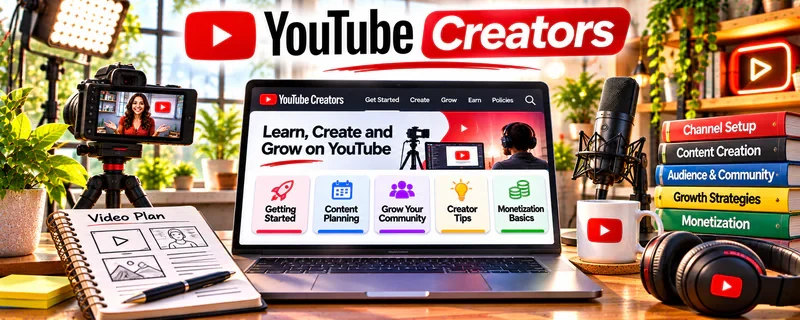
Official Website
YouTube Creators is YouTube’s official learning hub for channel setup, content planning, audience growth, monetization, Shorts, analytics, and platform best practices.
🔗 Visit Official Website — YouTube Creators
Domain: www.youtube.com
What This Website Is
YouTube Creators is YouTube’s official learning hub for channel setup, content planning, audience growth, monetization, Shorts, analytics, and platform best practices. For 🎬 Faceless Video Content Creation, it helps creators understand how to build a channel without relying on on-camera personality.
How to Use It for Faceless Video Content Creation
Use YouTube Creators to learn the platform rules and growth basics before scaling a faceless channel. Focus on audience value, original production, titles, thumbnails, analytics, monetization, and policy-safe workflows.
Step-by-Step Implementation:
- Pick a faceless channel niche and audience problem.
- Review YouTube guidance on content strategy and monetization.
- Build a repeatable script, voiceover, visual, and editing workflow.
- Create a pre-publish checklist for originality, rights, title, thumbnail, and description.
- Study analytics after each upload.
- Improve the next video based on retention, clicks, and comments.
Best Time to Use This
- Before starting a faceless YouTube channel.
- When planning Shorts or long-form videos.
- Before applying for monetization.
- When improving titles, thumbnails, or analytics habits.
Best Skills to Learn Here
- Channel strategy
- YouTube analytics
- Monetization awareness
- Video packaging
- Audience development
- Policy-safe publishing
Getting Started Steps
- Open YouTube Creators.
- Review beginner channel and monetization guidance.
- Draft one faceless video concept.
- Build a simple publishing checklist.
- Use analytics from the first videos to improve the workflow.
Good Beginner Search Terms
- YouTube Creators
- YouTube channel growth
- faceless YouTube channel strategy
- YouTube monetization basics
- YouTube analytics beginner
- YouTube thumbnails titles
Monetization Angle
Faceless channels can earn through ads, affiliates, sponsorships, digital products, and lead generation. YouTube Creators helps you understand the platform expectations that protect long-term monetization.
Pros
- Official YouTube creator education.
- Useful for growth and analytics basics.
- Helps with monetization readiness.
- Good for channel planning.
Cons
- Not specific only to faceless channels.
- Does not replace production practice.
- Monetization takes time.
- Originality and rights still need careful tracking.
Who Should Use This
Use this if you want to publish videos on YouTube and build a faceless or low-camera channel professionally.
Who Should Skip This
Skip this if you are not using YouTube or only need editing software tutorials.
Practical Applications
- Use official guidance to plan a channel around a clear audience and original value.
- Build an upload checklist for titles, thumbnails, captions, and rights checks.
- Compare audience-retention patterns with your script and editing choices.
Important Considerations
- Check current monetization and reused-content rules; faceless presentation does not exempt a channel from them.
- Growth advice does not guarantee eligibility, income, or rights to third-party footage and audio.
Related Resources
 YouTube Help Center — Supports platform rules and troubleshooting.
 Google AdSense / YouTube Partner Program — Explains monetization requirements.
Creator Science — Adds creator strategy for faceless content.
Related Side Hustles
 Faceless Video Content Creation: Go Viral Without Showing Your Face — YouTube Creators supports channel strategy and monetization.
YouTube Automation: Make Money Without Showing Your Face — Automation workflows also need YouTube platform fluency.
 Voiceover Work — Narration can support faceless video production.