Official Website
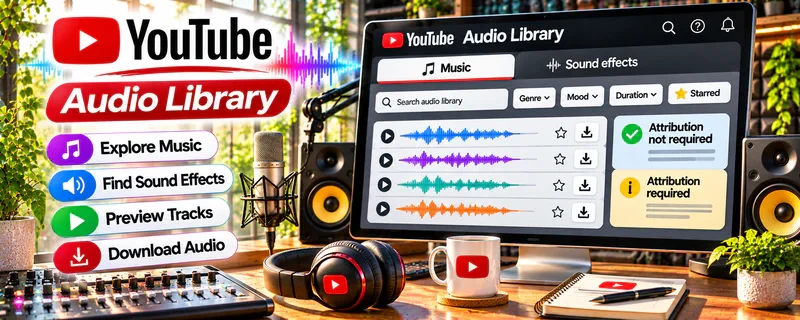
YouTube Audio Library is a free music and sound resource for creators who need tracks and audio assets for videos.
🔗 Visit Official Website — YouTube Audio Library
Domain: www.youtube.com
What This Resource Is
YouTube Audio Library is a free music and sound resource for creators who need tracks and audio assets for videos. For 🎬 Faceless Video Content Creation, it helps creators add background music and sound without relying on unlicensed material.
What You Can Learn
- How music and sound affect pacing and viewer retention.
- How to choose audio that fits a script and topic.
- How attribution and licensing requirements matter.
- How audio supports faceless videos alongside narration and visuals.
How to Apply It to 🎬 Faceless Video Content Creation
Use YouTube Audio Library to source background music and sound effects for faceless videos. Track license details, match audio to script tone, and keep volume below narration.
Step-by-Step Implementation:
- Choose music or effects to support the script and pacing of an original video.
- Check the exact track’s current license, attribution requirements, and permission for the intended platform and use.
- Save the source and license details, add required credits, and mix audio so narration remains intelligible.
- Review the final export and keep licensing records; access to a library does not by itself guarantee monetization eligibility or clearance for every use.
When to Use This
- When selecting supporting audio for an original video.
- Before checking track-specific credit requirements.
Best Tasks to Use It For
- Music and effect selection
- License recordkeeping
- Narration-friendly audio mixes
Getting Started Steps
- Pick one faceless video script.
- Search the library by mood, genre, or duration.
- Check attribution requirements.
- Add music at a low supporting volume.
- Save source and license notes with the project.
Recommended Searches on This Resource
- YouTube Audio Library attribution
- YouTube Audio Library sound effects
- YouTube Audio Library license details
Best Practices
Follow license and attribution rules, avoid overpowering narration, and do not assume audio outside the library is safe to use.
Monetization Angle
YouTube Audio Library can reduce production costs for faceless videos. Income depends on original scripts, editing quality, audience retention, rights compliance, and consistent publishing.
Pros
- Offers a starting point for music and effect discovery.
- Track information can support an organized licensing checklist.
Cons
- Conditions can differ between tracks and intended uses.
- Music selection does not make a video original or monetization-ready by itself.
Who Should Use This
Video creators who will check each track’s permitted uses and keep appropriate source and attribution records.
Who Should Skip This
Skip this if you expect unrestricted use everywhere, automatic copyright clearance for unrelated assets, or guaranteed monetization.
Practical Applications
- Select music or effects that support an original faceless-video script.
- Keep a record of track details and required attribution.
- Review the final mix so music does not obscure narration.
Important Considerations
- Check each asset’s current license and attribution instructions rather than assuming all tracks share identical terms.
- Library access does not grant rights to unrelated third-party audio or guarantee compliance with every off-platform use.
Related Resources
 VidIQ (YouTube Channel) — YouTube research.
 YouTube Audio Library — audio assets.
Math Antics (YouTube Channel) — educational video examples.
Related Side Hustles
 Faceless Video Content Creation: Go Viral Without Showing Your Face — directly uses scripts, visuals, and audio.
YouTube Automation: Make Money Without Showing Your Face — overlaps through production systems.
 Voiceover Work — overlaps through audio quality.