Official Website
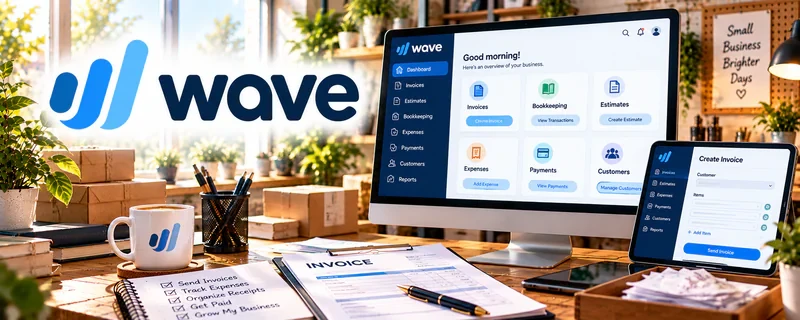
Wave is a freemium invoicing and small-business finance tool.
🔗 Visit Official Website — Wave
Domain: www.waveapps.com
What This Website Is
Wave is a freemium invoicing and small-business finance tool. For the 🧶 Selling Crafts & Handmade Goods side hustle, it can help you invoice customers, track payments, and keep simple bookkeeping organized.
How to Apply It to 🧶 Selling Crafts & Handmade Goods
Use Wave as your “money + admin system”: invoice → get paid → reconcile → track profit.
Step-by-Step Implementation:
- Phase 1: Set up your business profile and invoice template.
- Phase 2: Send invoices (custom orders/wholesale) and accept payments.
- Phase 3: Track income/expenses monthly to understand profitability.
Common Use Cases for this Side Hustle:
- Scenario A: If you sell custom work, invoice deposits and balances.
- Scenario B: If you sell wholesale, create repeatable invoice templates.
- Scenario C: If you want to raise prices, track costs and margins.
When to Use This
- You need invoicing for custom/wholesale orders.
- You want a simple bookkeeping system.
- You want to track payments and income.
- You want basic financial visibility.
Best Tasks to Use It For
- Invoicing customers
- Payment tracking
- Simple expense tracking
- Monthly profit review
- Financial records exports
Getting Started Steps
- Create a Wave account.
- Set up business details (name, address, currency).
- Create an invoice template.
- Add products/services and typical pricing.
- Send your first invoice.
- Track expenses monthly.
- Save exports for your records.
Good Beginner Search Terms
- Wave invoicing tutorial
- how to invoice for handmade goods
- pricing handmade products profit margin
- simple bookkeeping for crafters
- invoice deposit and balance template
- track expenses small business
Monetization Angle
Cleaner invoicing and payment tracking improves cash flow and reduces missed payments. Better expense tracking also helps you price for profit.
Pros
- Easy invoicing
- Good for simple bookkeeping
- Freemium entry point
Cons
- Not a full inventory system
- Setup required
- Some features may be paid
Who Should Use This
Handmade sellers who do custom orders or wholesale and want a simple invoicing + tracking workflow.
Who Should Skip This
Skip this if you only sell through marketplaces that handle payments and you don’t invoice customers directly.
Practical Applications
- Create an invoice for an agreed handmade commission.
- Record supply costs and customer payments using consistent categories.
- Reconcile transactions regularly rather than relying on memory at tax time.
Important Considerations
- Review current country support, pricing, payment-processing charges, and available integrations.
- Software categories do not establish tax treatment, and payment records do not replace clear custom-order scope and refund terms.
Related Resources
PayPal Business — Collects payments for custom orders, deposits, and direct craft sales.
Quickbooks — Provides more robust accounting as handmade sales and expenses grow.
Google Docs — Stores invoice notes, product descriptions, policies, and custom order details.
Google Drive — Organizes receipts, product photos, customer files, and tax records.
Related Side Hustles
 Blogging: Build an Online Brand and Earn from Your Words — Craft tutorials and behind-the-scenes posts can drive buyers to products.
 Affiliate Marketing: Get Paid to Promote What You Love — Craft tools and materials can be recommended through content.
 Virtual Assistance — Handmade sellers often need admin, order tracking, and customer-service support.