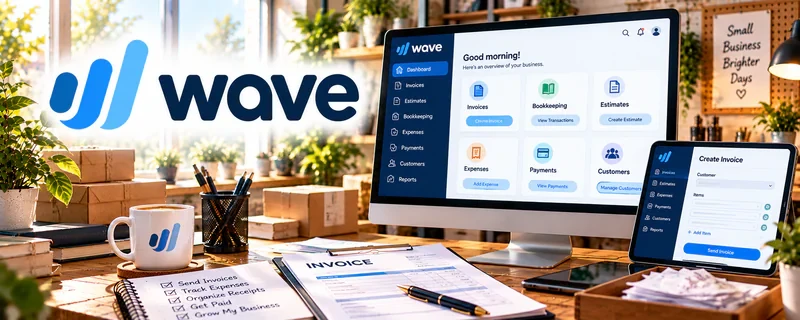
Official Website
Wave is a freemium invoicing/accounting tool for small businesses.
🔗 Visit Official Website — Wave
Domain: www.waveapps.com
What This Website Is
Wave is a freemium invoicing/accounting tool for small businesses. For 🧑🏫 Online Tutoring, it helps you invoice students/parents (when applicable), track payments, and keep income organized for taxes.
How to Apply It to Online Tutoring
Use Wave as your “invoice + payment tracking” workflow: invoice on a consistent cadence (weekly/monthly), automate reminders, and keep records clean.
Step-by-Step Implementation:
- Agree on lesson fees, packages, cancellations, invoicing schedule, and the responsible payer.
- Review current Wave account, location, feature, and fee requirements before configuring invoices.
- Send accurate invoices with the agreed terms while excluding unnecessary private student information.
- Reconcile payments, fees, refunds, and outstanding balances and retain appropriate records for qualified accounting review.
When to Use This
- You tutor independently (not through a platform)
- You need consistent payment tracking
- You want simple records for taxes
Best Tasks to Use It For
- Invoicing
- Tracking paid vs unpaid
- Basic income/expense logs
- Monthly reports for taxes
Getting Started Steps
- Create a Wave account.
- Set up your invoice template and payment terms.
- Add common services (hourly tutoring packages) as line items.
- Invoice on a consistent schedule.
- Turn on reminders for unpaid invoices.
- Track payments weekly.
- Export monthly totals for bookkeeping/taxes.
Good Beginner Search Terms
- tutoring invoice template hourly packages
- how to follow up on unpaid invoice
- simple bookkeeping for tutors 1099
Monetization Angle
Fewer late payments and cleaner admin improves cash flow and reduces time spent chasing money—raising effective hourly rate.
Pros
- Easy invoicing
- Clear payment tracking
- Good for early-stage solo tutoring
Cons
- Limited for complex accounting needs
- Requires consistent updating
Who Should Use This
Independent tutors who invoice clients directly and want simple tracking.
Who Should Skip This
Tutors working only through platforms that handle billing and payouts for you.
Practical Applications
- Invoice tutoring sessions or packages according to agreed terms.
- Track payments, cancellations, and approved credits by client.
- Reconcile tutoring income and business expenses with source records.
Important Considerations
- Confirm current regional access, payment fees, and accounting features.
- Protect student details and separate payment records from sensitive learning notes; software does not determine tax treatment or cancellation policy.
Related Resources
TutorCruncher — Adds tutoring-specific scheduling, lesson tracking, and billing for larger tutoring businesses.
Wyzant — Provides a tutoring marketplace where platform payments can complement direct invoicing.
Google Calendar — Coordinates lesson times, reminders, and billing cadence around tutoring sessions.
Related Side Hustles
 Online Tutoring: Get Paid to Teach What You Know — Wave invoices students or parents, tracks paid sessions, and keeps income records tax-ready.
Online Course Creation: Turn Your Knowledge Into Income — Course creators use similar payment, invoice, and income-tracking workflows.
 Virtual Assistance — VAs often manage invoices, payment follow-ups, and simple admin records for clients.