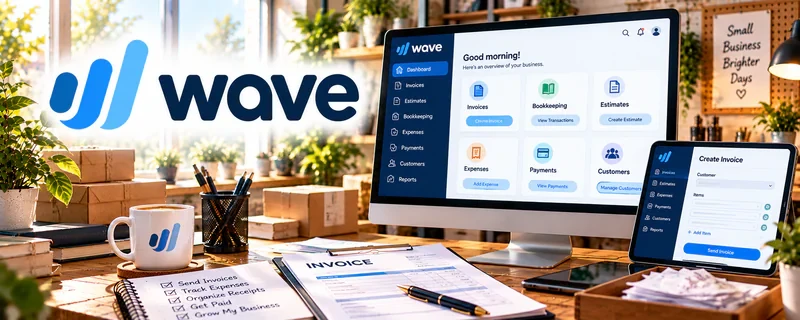
Official Website
Wave is an invoicing and bookkeeping tool for small businesses.
🔗 Visit Official Website — Wave
Domain: www.waveapps.com
What This Website Is
Wave is an invoicing and bookkeeping tool for small businesses. For 🔧 Handyman & Fix-It Services, it can help you send invoices, track payments, and keep income/expense records organized.
How to Apply It to 🔧 Handyman & Fix-It Services
Use Wave as your “quote → invoice → payment tracking” system: create invoice templates → send after jobs → track paid/unpaid → export records for taxes.
Step-by-Step Implementation:
- Create an invoice template with your common services.
- Send invoices immediately after each job.
- Track unpaid invoices weekly and follow up.
Common Use Cases for this Side Hustle:
- Scenario A: You want more professional invoices and fewer missed payments.
- Scenario B: You need simple bookkeeping for tax time.
When to Use This
- You need simple invoicing and payment tracking
- You want basic bookkeeping without complexity
- You’re running a solo handyman business
Best Tasks to Use It For
- Invoicing clients
- Tracking payments
- Basic income/expense tracking
Getting Started Steps
- Create an account.
- Add your business details and invoice template.
- Create your first invoice for your next job.
- Track payments weekly.
- Export records monthly for bookkeeping.
Good Beginner Search Terms
- Wave invoicing handyman
- simple invoice template home services
- how to track payments small business
- bookkeeping basics for contractors
Monetization Angle
Getting paid faster and tracking invoices properly reduces cash flow gaps and missed revenue.
Pros
- Easy invoicing
- Good for small businesses
Cons
- Some features require paid add-ons
- Not as robust as advanced accounting tools
Who Should Use This
Solo service providers who want clean invoicing and basic bookkeeping.
Who Should Skip This
Businesses that need complex accounting or advanced job costing.
Practical Applications
- Invoice a clearly agreed handyman task.
- Track approved materials, actual payments, and refunds by job.
- Reconcile receipts and expenses at a regular review.
Important Considerations
- Verify current regional availability, features, payment costs, and plan terms.
- Software does not establish tax treatment or replace scope, permit, and cancellation agreements; protect client records and seek qualified advice when needed.
Related Resources
Quickbooks — Adds more advanced accounting and reporting if handyman income grows.
Square Invoices — Provides a simple payment-link and invoicing option for individual jobs.
Trello — Tracks job stages, materials, punch lists, and follow-ups before billing.
Related Side Hustles
 Handyman & Fix-It Services: Turn Your Skills into Cash — Wave supports invoices, payments, and simple bookkeeping for handyman work.
 Lawn Care & Yard Work: Earn Money Maintaining Outdoor Spaces — Similar local service workflows need billing, payment tracking, and tax-ready records.