Official Website
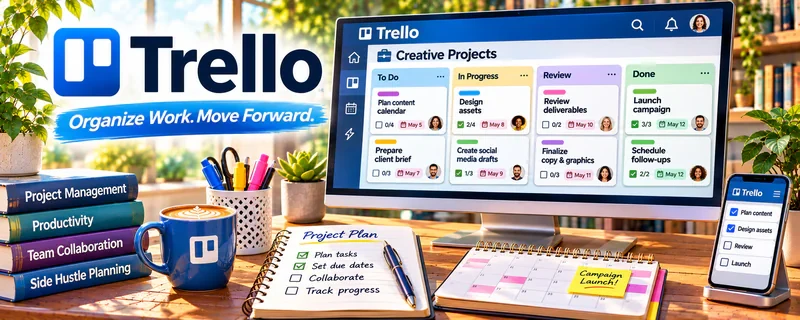
Trello is a visual project board tool (cards + lists) used to plan work and track progress.
🔗 Visit Official Website — Trello
Domain: trello.com
What This Website Is
Trello is a visual project board tool (cards + lists) used to plan work and track progress. For 📊 Online Bookkeeping, it can organize lead tracking, onboarding steps, and recurring monthly close tasks in a simple pipeline.
How to Apply It to Online Bookkeeping
Use Trello as your “client pipeline + monthly checklist” board: track prospects → onboarding → active client → monthly close → delivered.
Step-by-Step Implementation:
- Agree on bookkeeping scope, monthly deadlines, approvals, and authorized team members.
- Create a small board with recurring tasks, review checkpoints, and exception handling.
- Link sensitive source records securely and restrict access rather than exposing financial details on widely shared cards.
- Verify completed work against source records and approvals, then update templates from documented issues.
When to Use This
- You want a simple kanban workflow
- You manage a small number of clients
- You need clear checklists and due dates
Best Tasks to Use It For
- Lead tracking
- Client onboarding checklists
- Monthly close task lists
- Delivery status tracking
Getting Started Steps
- Create lists: Leads, Onboarding, Active, Monthly Close, Delivered.
- Make a card template with a checklist (reconcile, categorize, reports).
- Add due dates for monthly deliverables.
- Attach key links/files to each client card.
- Review the board daily.
- Move cards as work progresses.
- Archive completed months or clients as needed.
Good Beginner Search Terms
- trello bookkeeping workflow board
- monthly close checklist template
- client onboarding steps bookkeeping
Monetization Angle
A clear workflow reduces missed steps and late deliveries, improving retention and enabling higher monthly retainers.
Pros
- Simple and visual
- Easy checklists
- Low setup time
Cons
- Limited reporting
- Can get messy without discipline
Who Should Use This
Bookkeepers with a small-to-medium client load who want a simple kanban workflow.
Who Should Skip This
Bookkeepers needing complex automations, permissions, and reporting.
Practical Applications
- Create a board for client onboarding, document collection, and month-end tasks.
- Use checklists to track unresolved reconciliation questions.
- Review upcoming deadlines and missing records before each close.
Important Considerations
- A completed card is not evidence that the books are accurate.
- Use authorized client access, minimize financial details in cards, and check current security and automation settings.
Related Resources
ClickUp — Provides a more robust recurring-task system for larger bookkeeping client loads.
Google Forms — Collects client intake details before Trello cards and onboarding checklists are created.
Notion — Stores SOPs, client notes, and bookkeeping documentation alongside Trello workflows.
Related Side Hustles
 Online Bookkeeping: Earn Steady Income by Helping Businesses Stay Organized — Trello tracks leads, onboarding, monthly close tasks, due dates, and delivery status.
 Virtual Assistance — VAs use similar boards for recurring admin workflows and client task tracking.
Consulting: Get Paid for What You Know — Consultants can use Trello to manage client deliverables, checklists, and follow-ups.