Official Website
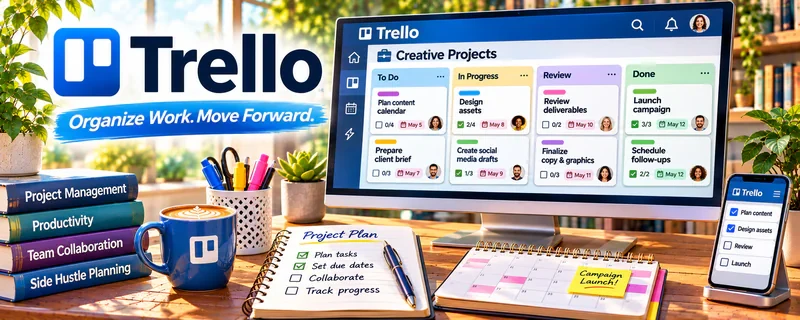
Trello is a simple project and checklist tool built around boards, lists, and cards.
🔗 Visit Official Website — Trello
Domain: trello.com
What This Website Is
Trello is a simple project and checklist tool built around boards, lists, and cards. For the 🌱 Lawn Care & Yard Work side hustle, it can act as your job tracker for clients, recurring visits, and task checklists.
How to Apply It to 🌱 Lawn Care & Yard Work
Use Trello as a practical work tool to run jobs consistently: client list → scheduled jobs → completed jobs → follow-ups.
Step-by-Step Implementation:
- Phase 1: Create a “Jobs” board with lists for Scheduled, Today, Done, Follow-up.
- Phase 2: Make one card per client/property with recurring checklist items.
- Phase 3: Add a simple system for upsells (mulch, trimming, cleanup) in a dedicated list.
Common Use Cases for this Side Hustle:
- Scenario A: Keeping recurring lawns organized by day.
- Scenario B: Tracking one-off cleanup projects.
- Scenario C: Managing upsells and add-on requests.
When to Use This
- You have multiple recurring clients.
- You want fewer missed tasks (gates, edging, bagging).
- You want a simple schedule view.
- You want to track upsells and follow-ups.
Best Tasks to Use It For
- Client/job tracking
- Recurring task checklists
- Route/day planning
- Upsell tracking
- Notes per property
Getting Started Steps
- Create a Trello board called “Lawn Jobs.”
- Add lists: Scheduled, Today, Done, Follow-up, Upsells.
- Create one card per client/property.
- Add a checklist (mow, edge, blow, bag, gates).
- Add due dates for visit days.
- Move cards through lists as you work.
- Review Follow-up weekly for quotes and add-ons.
Good Beginner Search Terms
- lawn care job checklist template
- Trello service business workflow
- route planning for lawn care
- upsell ideas lawn care services
- recurring service scheduling checklist
- client notes template for yard work
Monetization Angle
A consistent checklist system reduces mistakes and improves customer satisfaction—leading to repeat work, referrals, and easier upsells.
Pros
- Simple and mobile-friendly
- Great for checklists
- Works for recurring services
Cons
- Not a full scheduling/invoicing tool
- Requires consistent updating
- Can get cluttered with many clients
Who Should Use This
Lawn care providers who want a simple job tracker and checklist system to stay consistent across clients.
Who Should Skip This
Skip this if you already run everything in a dedicated field service scheduling app.
Practical Applications
- Track lawn visits through requested, confirmed, completed, and follow-up stages.
- Attach an agreed job checklist to each property card.
- Schedule recurring maintenance reminders with room for weather changes.
Important Considerations
- A board does not replace client confirmation or weather and safety checks.
- Restrict access to addresses and property details, keep access codes out of shared cards, and verify recurring automation behavior.
Related Resources
Thumbtack — Helps lawn care providers find local leads and quote requests.
Nextdoor — Builds local visibility, referrals, and neighborhood trust.
Quickbooks — Tracks income, expenses, and taxes for recurring lawn care jobs.
Related Side Hustles
 Handyman & Fix-It Services: Turn Your Skills into Cash — Both are local home-service businesses with recurring clients and upsells.
 Gig Economy Apps: Earn Money on Your Schedule Using Your Phone — Both depend on route planning, scheduling, and local service efficiency.