Official Website
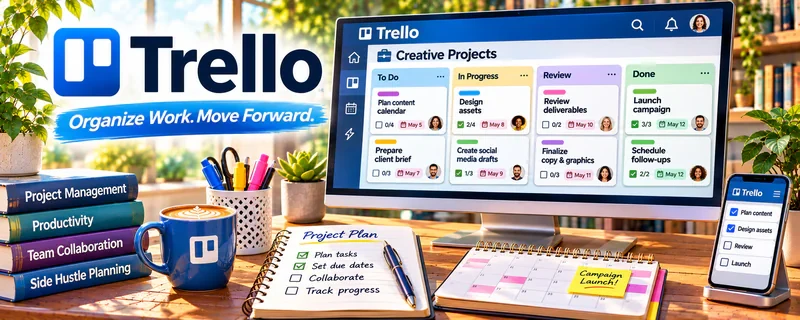
Trello is a visual task management tool using boards, lists, and cards.
🔗 Visit Official Website — Trello
Domain: trello.com
What This Website Is
Trello is a visual task management tool using boards, lists, and cards. For the 🧹 House Cleaning & Organization side hustle, it can be used to track client bookings, cleaning checklists, and recurring service schedules.
How to Apply It to 🧹 House Cleaning & Organization
Use Trello as your “jobs + checklist system”: client intake → scheduled → completed → follow-up.
Step-by-Step Implementation:
- Phase 1: Create a board for jobs (Leads, Scheduled, Done, Follow-up).
- Phase 2: Create card templates for cleaning checklists (kitchen, bath, deep clean).
- Phase 3: Add recurring reminders for repeat clients and upsells.
Common Use Cases for this Side Hustle:
- Scenario A: If you forget tasks, use checklist templates.
- Scenario B: If scheduling is chaotic, track jobs by status.
- Scenario C: If you want repeat clients, track cadence and follow-ups.
When to Use This
- You manage multiple clients/jobs.
- You want consistent cleaning quality.
- You want a simple admin system.
- You want repeatable checklists.
Best Tasks to Use It For
- Job pipeline tracking
- Cleaning checklists
- Recurring service schedules
- Client notes and preferences
- Follow-up reminders
Getting Started Steps
- Create a Trello board called “Cleaning Jobs.”
- Add lists (Leads, Scheduled, In Progress, Done).
- Create checklist templates for common cleans.
- Create one card per job/client.
- Add due dates and reminders.
- Review daily.
- Duplicate templates for repeat clients.
Good Beginner Search Terms
- house cleaning checklist template
- Trello job tracking board
- recurring client follow up system
- deep cleaning checklist room by room
- cleaning business SOP template
- scheduling system for cleaners
Monetization Angle
Checklists protect quality and reduce rework. A simple pipeline helps you manage more jobs and retain repeat clients.
Pros
- Simple and visual
- Great for checklists
- Easy to duplicate templates
Cons
- Manual updates
- Can get messy without standards
- Not a booking/payment tool
Who Should Use This
Cleaners/organizers who want a simple job tracker + checklist system.
Who Should Skip This
Skip this if you already use a full booking CRM and don’t want duplicate tracking.
Practical Applications
- Create a cleaning-job card with agreed scope and visit details.
- Use checklists for recurring room or property tasks.
- Flag follow-up questions and completion status for authorized team members.
Important Considerations
- Do not put alarm codes, keysafe details, or unnecessary household information in broadly shared boards.
- A task board does not replace booking confirmation, safety procedures, or a client-approved service scope; verify automation behavior before relying on it.
Related Resources
Google Calendar — Schedules recurring cleans, deep-clean slots, and follow-up reminders.
Google Forms — Collects client intake details, property notes, and quote requests.
Notion — Builds more detailed SOPs, client databases, and cleaning checklists.
WordPress.com — Creates a simple local service site for trust and search visibility.
Related Side Hustles
 Virtual Assistance — Cleaning operations use similar task tracking, scheduling, and client admin skills.
 Blogging: Build an Online Brand and Earn from Your Words — Cleaning tips and local guides can attract clients and build credibility.
 Affiliate Marketing: Get Paid to Promote What You Love — Cleaning supplies and organizing tools can be recommended through content.