Official Website
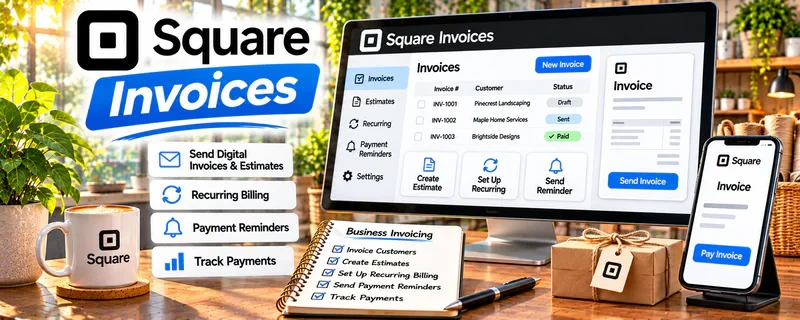
Square Invoices is an invoicing and payment tool that lets you send professional invoices and get paid by card or ACH.
🔗 Visit Official Website — Square Invoices
Domain: squareup.com
What This Website Is
Square Invoices is an invoicing and payment tool that lets you send professional invoices and get paid by card or ACH. For the 🔧 Handyman & Fix-It Services side hustle, it helps you bill clients fast, look more professional, and reduce “forgot to pay” situations.
How to Apply It to 🔧 Handyman & Fix-It Services
Use Square Invoices as a practical work tool for your job-to-cash workflow: quote → invoice → payment → receipt → record.
Step-by-Step Implementation:
- Phase 1: Set up your business profile, payment settings, and a basic invoice template (logo, terms, due dates).
- Phase 2: After each job, send an itemized invoice (labor + materials) the same day.
- Phase 3: Track payments, follow up automatically on overdue invoices, and keep records for taxes.
Common Use Cases for this Side Hustle:
- Scenario A: Small repairs where you want immediate payment after the job.
- Scenario B: Multi-step jobs where you invoice deposits and milestone payments.
- Scenario C: Repeat clients where you want a consistent billing system.
When to Use This
- You want faster client payments.
- You need professional invoices and receipts.
- You do recurring or multi-visit jobs.
- You want a clean record for taxes.
Best Tasks to Use It For
- Sending invoices after jobs
- Accepting card/ACH payments
- Tracking paid vs unpaid invoices
- Requesting deposits
- Creating receipts for clients
Getting Started Steps
- Create a Square account.
- Turn on invoicing and payment methods.
- Build an invoice template (terms + due date).
- Create service line items (common job types).
- Send your next invoice the same day you finish a job.
- Enable reminders for unpaid invoices.
- Export records monthly for bookkeeping/taxes.
Good Beginner Search Terms
- Square Invoices setup
- handyman invoice template
- how to request deposit invoice
- best payment terms for service jobs
- invoice follow up message template
- Square invoice reminders
Monetization Angle
Faster payments improve cash flow. Itemized invoices also make it easier to justify higher prices and upsell add-on services.
Pros
- Professional invoices and receipts
- Easy payment collection
- Good tracking for unpaid invoices
Cons
- Payment processing fees
- Some clients prefer cash/check
- Requires consistent use to stay organized
Who Should Use This
Handyman providers who want a simple invoicing + payment system that makes clients pay faster.
Who Should Skip This
Skip this if you only take cash and don’t want to adopt card/online payments.
Practical Applications
- Invoice a clearly agreed repair with labor and materials described accurately.
- Record an agreed deposit and remaining project balance.
- Match payments, refunds, and receipts to the correct job.
Important Considerations
- Confirm current regional eligibility, supported methods, fees, payout conditions, and dispute terms.
- Invoicing does not replace a clear service scope or authorize licensed work; agree changes, cancellation terms, and applicable consumer obligations separately.
Related Resources
Yelp for Business — Helps handyman providers build local visibility, reviews, and inbound quote requests.
Thumbtack — Provides a service marketplace for finding local repair and fix-it leads.
Taskrabbit — Offers another channel for small repair jobs, assemblies, and local handyman tasks.
Related Side Hustles
 Lawn Care & Yard Work: Earn Money Maintaining Outdoor Spaces — Both are local home-service businesses with scheduling, estimates, and repeat clients.
 Gig Economy Apps: Earn Money on Your Schedule Using Your Phone — Both depend on flexible local work, quick response, and efficient job routing.