Official Website
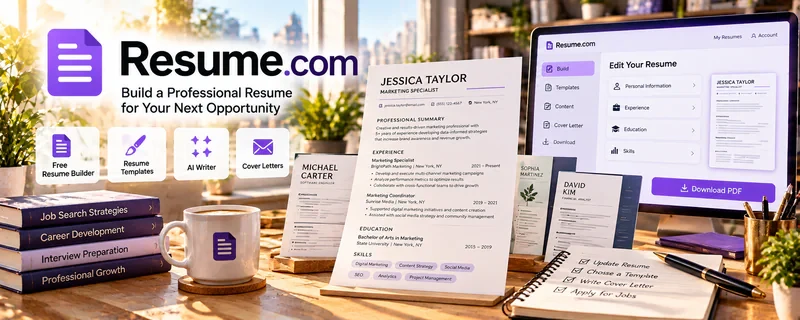
Resume.com is a free resume builder with templates.
🔗 Visit Official Website — Resume.com
Domain: www.resume.com
What This Website Is
Resume.com is a free resume builder with templates. For the 📄 Resume Writing & LinkedIn Optimization side hustle, it can be used to quickly draft resumes, generate clean layouts, and speed up client deliverables.
How to Apply It to 📄 Resume Writing & LinkedIn Optimization
Use Resume.com as a practical “draft + layout” tool: intake → draft → format → export → deliver.
Step-by-Step Implementation:
- Phase 1: Collect client info (roles, wins, target job titles, keywords).
- Phase 2: Draft content (bullets, metrics, skills) and choose a clean template.
- Phase 3: Export, QA for ATS readability, then iterate versions for different roles.
Common Use Cases for this Side Hustle:
- Scenario A: Fast formatting after you write stronger bullets.
- Scenario B: Creating multiple role-specific versions.
- Scenario C: Helping a client who has no resume and needs one quickly.
When to Use This
- You need a resume formatted fast.
- You want clean templates for beginners.
- You’re doing high-volume resume packages.
- You need exportable PDFs quickly.
Best Tasks to Use It For
- Resume formatting
- Template selection and layout
- Exporting client-ready PDFs
- Versioning for different roles
- Basic resume structure setup
Getting Started Steps
- Identify the target job titles.
- Pick a clean template on Resume.com.
- Write achievement bullets with metrics.
- Add a skills section aligned to the job description.
- Export to PDF.
- QA for readability and consistency.
- Create a second version for another target role.
Good Beginner Search Terms
- Resume.com resume builder tutorial
- ATS friendly resume format
- resume bullet points with metrics examples
- skills section resume keywords
- resume versioning for multiple roles
- modern resume template best practices
Monetization Angle
Faster formatting reduces time per client. That supports packaged offers (resume + LinkedIn) and higher effective hourly rates.
Pros
- Free and fast
- Easy templates
- Quick exports
Cons
- Templates can be limiting
- ATS optimization depends on template choice
- Not a substitute for strong writing and positioning
Who Should Use This
Resume writers who want a fast, clean builder for producing client-ready layouts.
Who Should Skip This
Skip this if you already use a preferred pro tool and only need content strategy, not template formatting.
Practical Applications
- Draft a fictional resume using a clear, readable layout.
- Compare an exported file with an employer’s requested format.
- Use a client-approved draft to identify factual gaps before finalizing.
Important Considerations
- Confirm current access, export, pricing, privacy, and commercial-use terms.
- Templates do not validate achievements or guarantee interviews, and decorative formatting may affect readability or parsing.
Related Resources
Teal — Helps track job targets and tailor resume versions around real openings.
Jobscan — Checks keyword and ATS alignment after the resume draft is formatted.
Canva Resume Builder — Provides a more visual resume design option for clients who need presentation polish.
Related Side Hustles
 Virtual Assistance — Resume writers may offer adjacent admin help such as job tracking and application organization.
 Blogging: Build an Online Brand and Earn from Your Words — Career advice content can attract resume clients and build trust.