Official Website
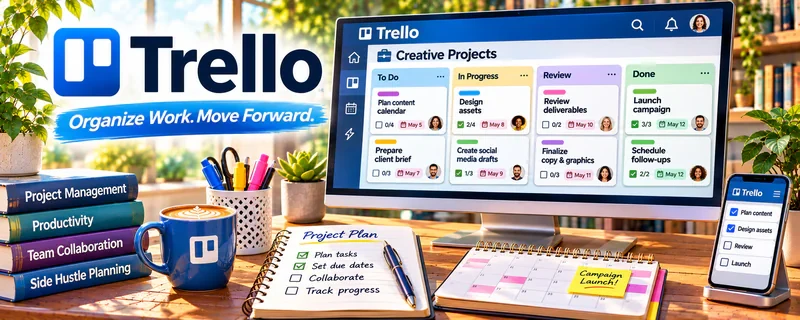
Trello is a kanban board tool for organizing tasks.
🔗 Visit Official Website — Trello
Domain: trello.com
What This Website Is
Trello is a kanban board tool for organizing tasks. For 📄 Resume Writing & LinkedIn Optimization, it can track clients and move each project through a consistent workflow (intake → draft → review → final).
How to Apply It to Resume Writing & LinkedIn Optimization
Use Trello as your “client pipeline board”: one card per client with a checklist for each deliverable.
Step-by-Step Implementation:
- Agree on each client’s deliverables, target roles, truthful source information, and deadlines.
- Build a restricted-access board with intake, drafting, approval, and delivery stages.
- Use checklists and links to authorized files while avoiding unnecessary personal details or public copies of career documents.
- Track revisions and approval before delivery, then manage access and retention according to the agreement without promising employment outcomes.
When to Use This
- You manage multiple resume clients at once
- You need a repeatable intake, draft, review, and final-delivery workflow
- You want a simple pipeline without heavier project-management software
Best Tasks to Use It For
- Client pipeline tracking
- Resume and LinkedIn revision checklists
- Draft review status
- Follow-up reminders
Getting Started Steps
- Create lists for Intake, Drafting, Client Review, Final Delivery, and Follow-up.
- Make a card template with checklists for resume, LinkedIn, cover letter, and final files.
- Add due dates for each project stage.
- Attach intake forms, drafts, notes, and client links to the card.
- Move each card as work progresses.
- Review the board daily for blockers.
- Archive completed clients after testimonials or follow-ups are handled.
Good Beginner Search Terms
- Trello client pipeline template
- resume writing workflow checklist
- LinkedIn optimization client process
Monetization Angle
A cleaner workflow helps deliver projects faster, reduce missed revisions, and manage more clients without losing quality.
Pros
- Simple visual pipeline
- Easy checklists and due dates
- Useful for repeatable client workflows
Cons
- Limited reporting
- Requires discipline to keep cards updated
Who Should Use This
Resume writers managing multiple client projects and revision stages.
Who Should Skip This
Writers with only one-off projects who can manage everything in a simple checklist.
Practical Applications
- Track resume projects through intake, drafting, review, and delivery.
- Add agreed deadlines and revision checklists to each client card.
- Record approval and payment follow-ups without duplicating sensitive documents.
Important Considerations
- Limit access to career information and keep unnecessary personal details out of card titles.
- A board is not a service contract or secure archive by default; verify permissions, retention, and backups.
Related Resources
Related Side Hustles
 Resume Writing & LinkedIn Optimization — Trello tracks each client from intake through drafts, reviews, final files, and follow-up.
Freelance Writing: Get Paid to Write Online — Writers use similar project boards for briefs, drafts, approvals, and invoices.
 Virtual Assistance — VAs can manage client pipelines, recurring tasks, and status updates in the same board style.