Official Website
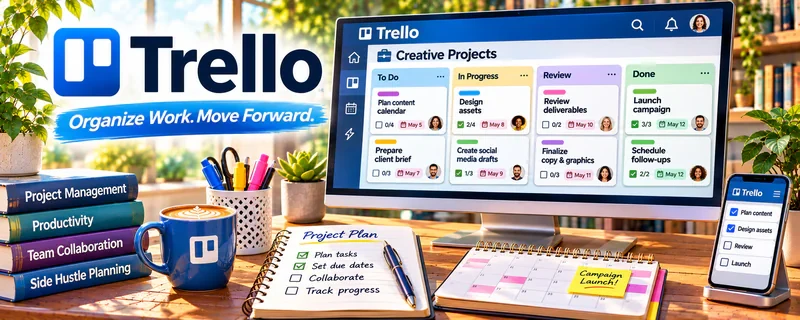
Trello is a visual project board tool (cards + lists).
🔗 Visit Official Website — Trello
Domain: trello.com
What This Website Is
Trello is a visual project board tool (cards + lists). For 📣 Social Media Management, it helps you track content ideas, production status, approvals, and posting schedules.
How to Apply It to Social Media Management
Use Trello as your “content pipeline”: ideas → drafting → design → scheduled → posted → reported, with a repeatable checklist per post.
Step-by-Step Implementation:
- Agree on the client’s content stages, deadlines, review roles, and publishing permissions.
- Create a small board and card template covering copy, creative, rights, disclosures, links, and approvals.
- Restrict access and link authorized assets without exposing private account or customer information.
- Confirm approval before publishing and improve the workflow using documented revisions, blocked tasks, and actual results.
When to Use This
- You manage multiple accounts/campaigns
- You need approvals and status tracking
- You want simple kanban workflow
Best Tasks to Use It For
- Content calendars (lightweight)
- Post production checklists
- Approval tracking
- Weekly reporting reminders
Getting Started Steps
- Create lists for your workflow stages.
- Create a card template with a checklist (copy, creative, hashtags, link).
- Add due dates and owners.
- Attach assets and drafts to each card.
- Move cards as work progresses.
- Batch-schedule posts weekly.
- Archive completed weeks/months.
Good Beginner Search Terms
- trello social media content board
- content approval workflow checklist
- batching social media posts process
Monetization Angle
Better workflow reduces missed posts and rework, increasing capacity and enabling higher retainers.
Pros
- Simple and visual
- Easy checklists
- Low setup time
Cons
- Limited reporting
- Can get messy without discipline
Who Should Use This
Social media managers who want a simple pipeline without heavy tools.
Who Should Skip This
Teams needing complex approvals, permissions, and analytics dashboards.
Practical Applications
- Track content from brief through draft, client approval, and publication.
- Assign owners and due dates for each campaign asset.
- Record approved copy, source files, and reporting tasks on the relevant card.
Important Considerations
- A board does not publish or synchronize content unless an appropriate integration is configured.
- Control guest permissions and protect client data; approval status should reflect an explicit decision, not an assumption.
Related Resources
Hootsuite — Schedules and reports on posts after Trello tracks content production and approvals.
Canva / Canva Mockups — Creates post graphics and campaign visuals attached to Trello cards.
Notion — Stores strategy docs, briefs, SOPs, and client notes alongside Trello workflows.
Related Side Hustles
 Social Media Management — Trello organizes content calendars, approval stages, asset handoffs, and weekly reporting reminders.
 UGC Creation — UGC creators use similar production boards for briefs, shoots, edits, and approvals.
Faceless Video Content Creation: Go Viral Without Showing Your Face — Video teams can track scripts, assets, edits, and publishing stages with the same kanban flow.